

Web

feed
 May 2007 edition
Welcome to the May 2007 edition of EasySkills, the monthly newsletter from EasyPC Training. In this edition, prepare for the end of financial year '07 and get the most out of your MYOB accounting software. From EasyPC Training  Discount voucherCall us on 07 3314 6055 or email EasyPC Training quoting the reference number below and get 20% off your next EasyPC Training computer course. 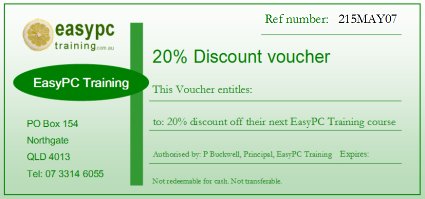
Book and pay by 21 June 2007 to earn discount. Small business adviceYear end tax planning strategiesFY2007 is drawing to a close, so its time to think about tax planning and the strategies that can legitimately accelerate deductions and defer the recognition of income. Read full article >> FeaturesMYOB: Exporting data from company data file
Hints & tipsKeyboard shortcuts
Renaming digital photosIf you import digital photos, you're going to love this tip.
Your pictures automatically rename themselves ("Brisbane holiday (1)," "Brisbane holiday (2)," etc.). This tip also works to rename any collection of files. |

|
 Advice on getting the most of your MYOB accounting software: exporting from company data files.
  +
+ 



